The calendar on the wall
A screen in a wooden frame in the hall, and the same calendar on everybody’s phone. It shows today in full, the days either side of it, and what the sea and the sky are doing — and it is meant to be read from across the room without anyone touching it.
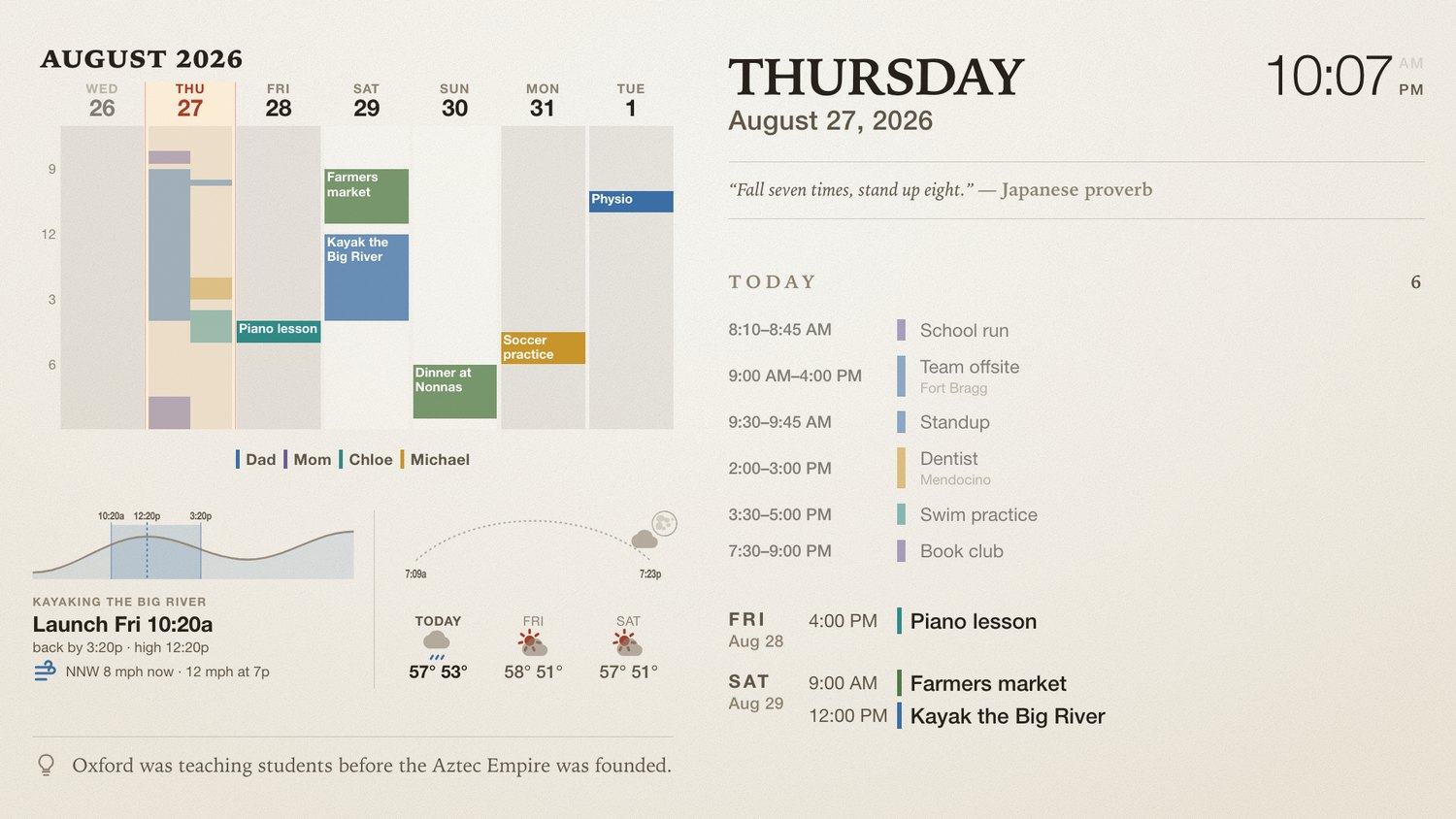
Everything is color first
Every entry belongs to somebody, and everybody has a color. At four metres you read the color long before you read the word, which is why the same colors are used everywhere: on the bands, on the list, on the chips in the month grid.
- Dad
- Mom
- Chloe
- Michael
- the whole house
An entry with nobody named belongs to everyone — dinner at Nonna’s, the farmers market — and takes the household color.
The right-hand half
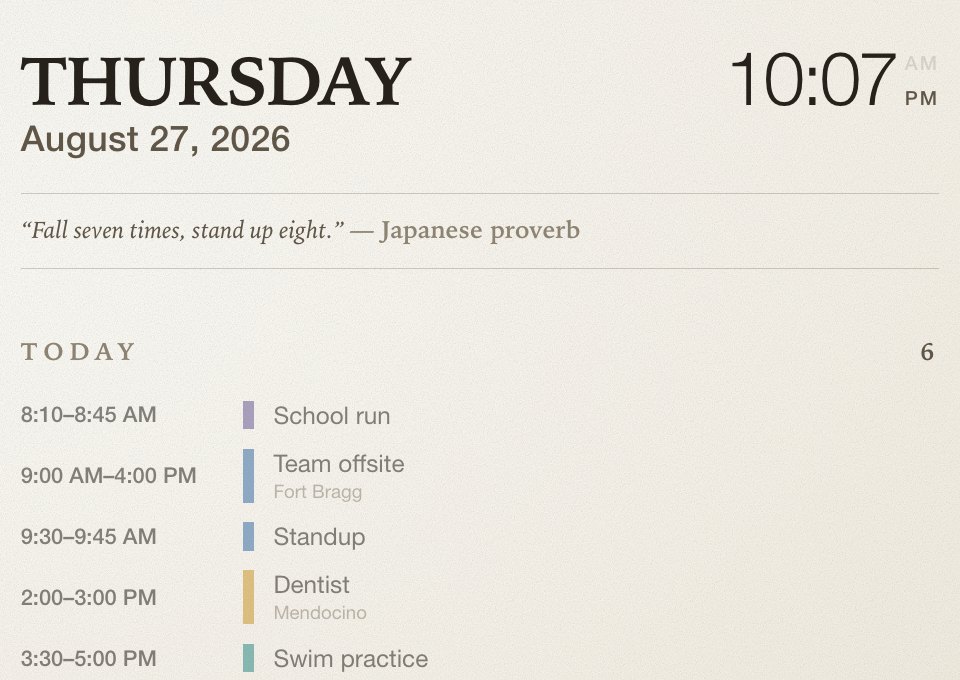
The day, the date and the time, then everything that is on. Times run start to finish, so you can see how much of the day a thing takes rather than only when it begins.
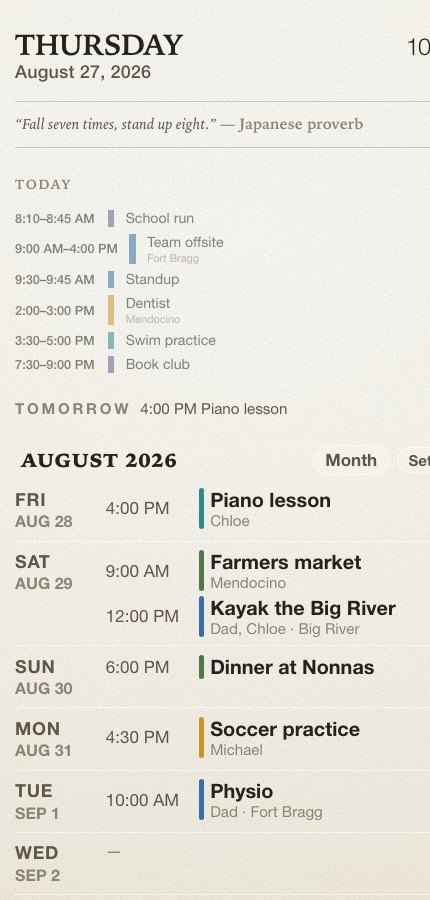
What has already happened fades. What is next is the boldest thing in the list, with how long you have until it. Underneath, the days after today — and if a day has nothing on it, it says so.
Seven bands, one clock
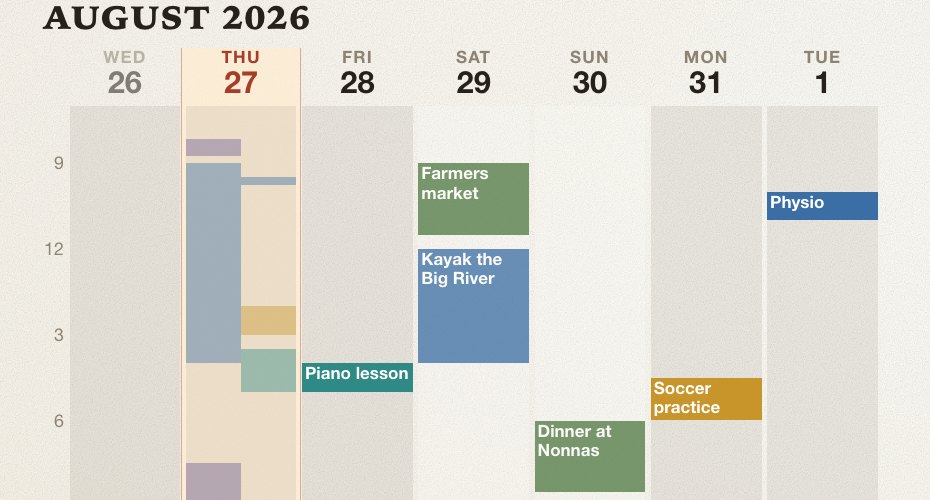
Time runs down every column on the same scale, so ten o’clock on Tuesday sits level with ten o’clock on Friday. You read the shape of the week off the gaps: which days are solid, which are open, whether the busy ones are mornings or evenings.
Today’s column is lit. Two things at the same time sit side by side rather than one behind the other. A title appears inside a block when the block is big enough to hold one; the color says whose it is either way.
The tide, the light and the sky
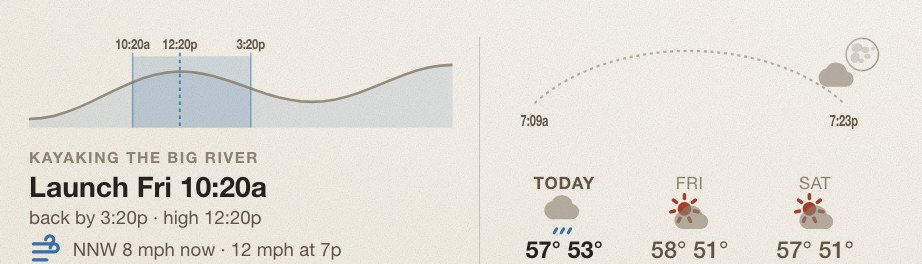
The tide. A tidal river carries you both ways if you time it: leave on the last of the flood, turn at high water, come home on the ebb. The shaded block is that window, marked with when to launch, when to turn and when to be back. It picks whichever river suits the day’s wind.
The light. The sun’s own arc, sunrise to sunset — but the times at its ends are ours, with the minutes the ridge and the redwoods take off each end already removed. The dot is now. The marks along it are the weather, at the hour it changes. The moon appears in the corner when the moon is actually up.
It follows the light in the room
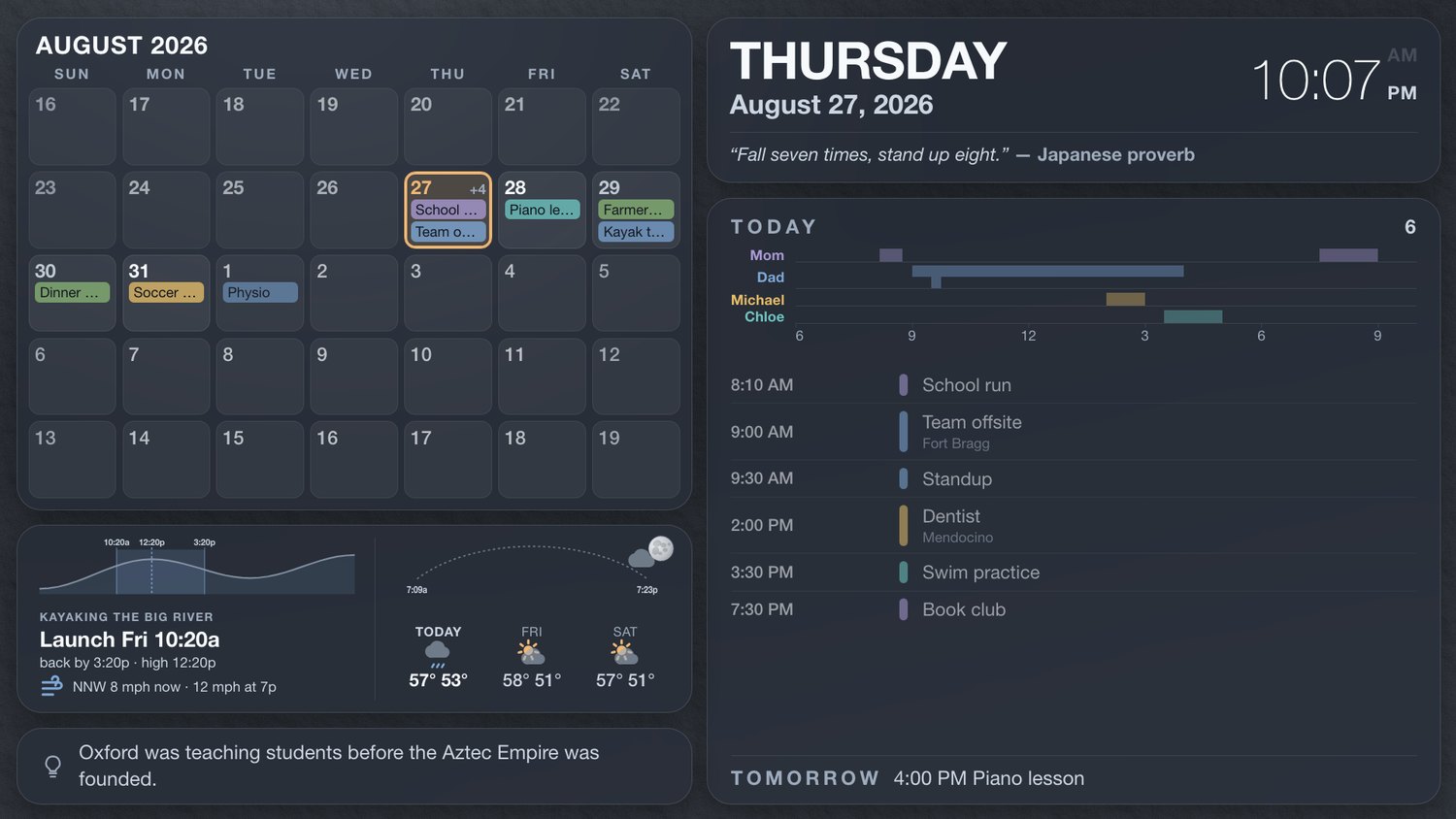
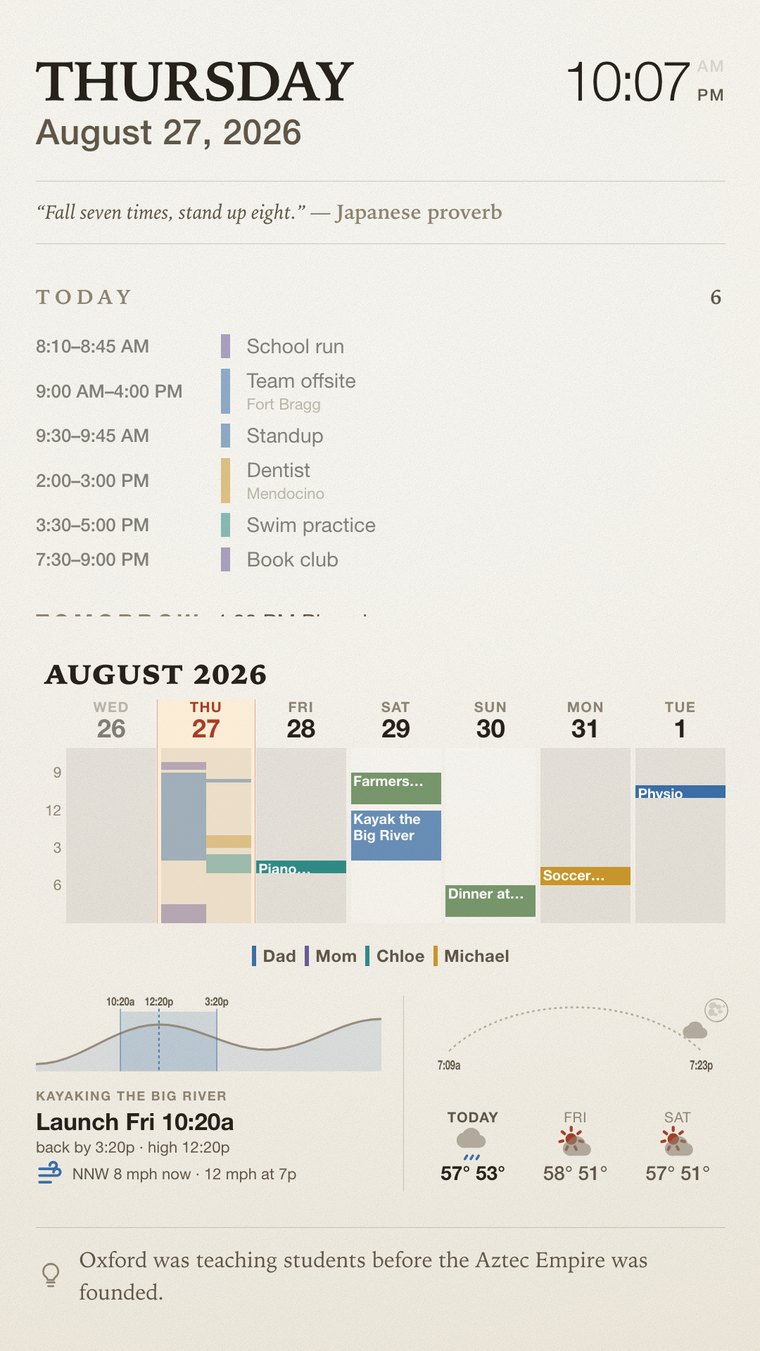
A screen that is right at noon is a lamp at seven in the evening. The wall dims with the daylight outside — the sun’s own height, taken down further when the sky is thick — and blanks entirely during the night hours, showing only the time if you walk past it.
The same calendar, in a pocket
Adding something
Tap a day, then Add an entry. Give it a name, a time, and whose it is. Leave nobody named and it belongs to the whole house.
Changing something
Tap the entry itself rather than the day. Repeats can be changed once or from then on.
Anything you add appears on the wall within half a minute. You do not have to do anything to it.
What can be changed
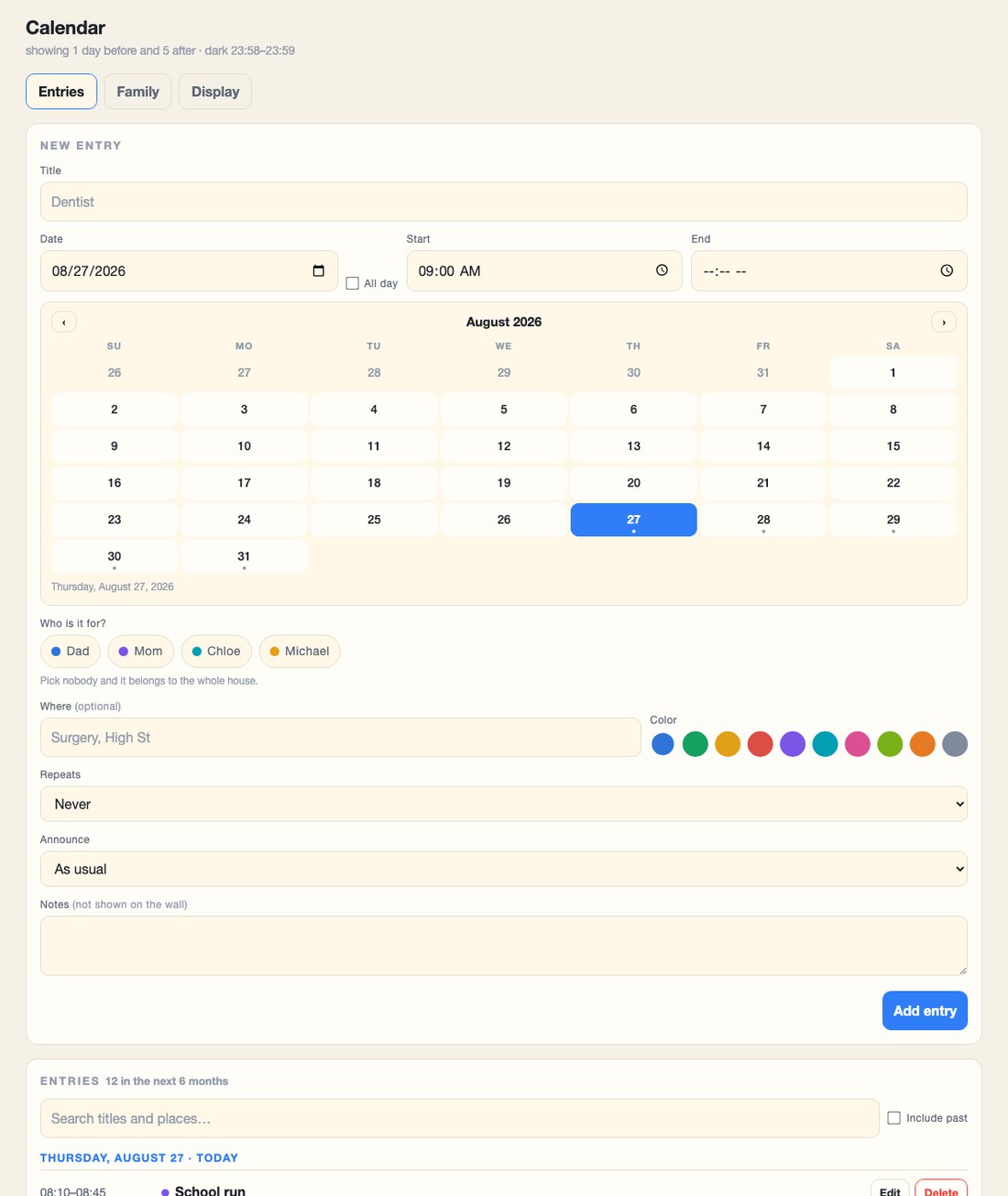
Display. Which way the screen is turned, whether the left panel is a month or a stretch of days, how far either side of today it reaches, and which colors the family are drawn in.
The wall. Paper or glass, what is behind it, whether the quote and the fact appear, how the day is drawn, and whether it dims with the light outside.
The coast. Where you are, which tide station to read, and how many minutes the trees take off each end of the day.
The voice and the night. When it goes dark, when it wakes, what it says out loud and how long before.
How it holds together
A small server keeps the calendar and owns it: every entry, every photograph, and the tide and forecast it fetches once an hour. That is what your phone talks to.
The Raspberry Pi behind the screen keeps its own copy and refreshes it every few minutes. It draws the wall from what it holds, so a wobbly connection — or none at all — changes nothing you can see.
The calendar · the wall · the app itself, behind the avatar